Wide Views Prove Location
Keep the entire panel and vehicle in frame. Photograph front, rear, sides, four corners, roof, glass, wheels, and lower bumpers.
A complete pickup and delivery record can protect the carrier from responsibility for damage that was already present. Complete the assigned workflow, document condition precisely, and never leave a failed step undocumented.
Capture the same complete sequence at pickup and delivery. Do not substitute screenshots, cropped images, or a few damage close-ups for the required full views.
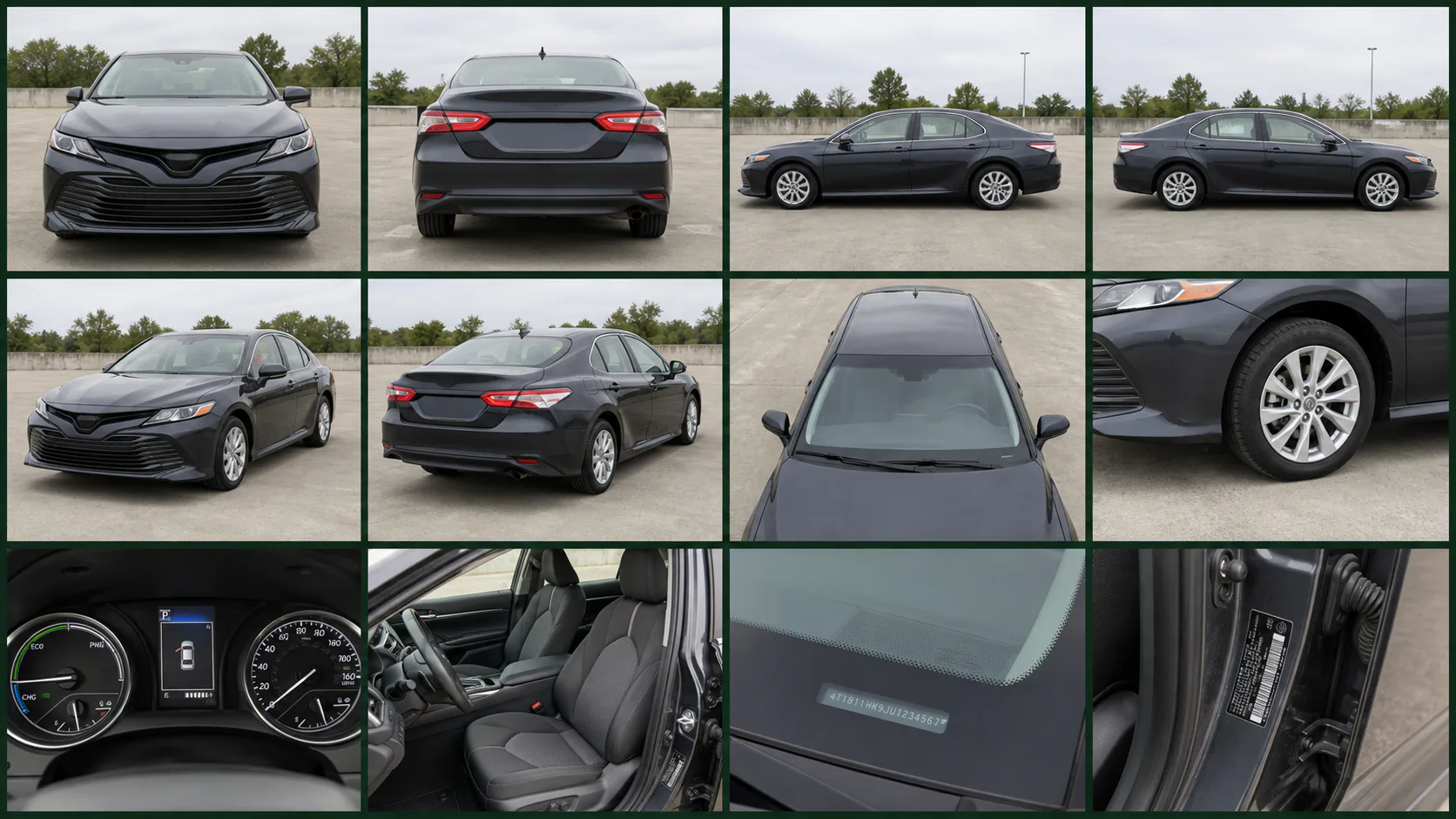
Keep the entire panel and vehicle in frame. Photograph front, rear, sides, four corners, roof, glass, wheels, and lower bumpers.
For every scratch, dent, chip, crack, stain, or missing item, take a context image followed by sharp close-ups.
Capture both VIN locations, dashboard warnings, odometer, fuel or battery level, keys, and useful interior views.
Use the same angles after unloading. Record new observations before signature and keep both inspection records connected to the load.
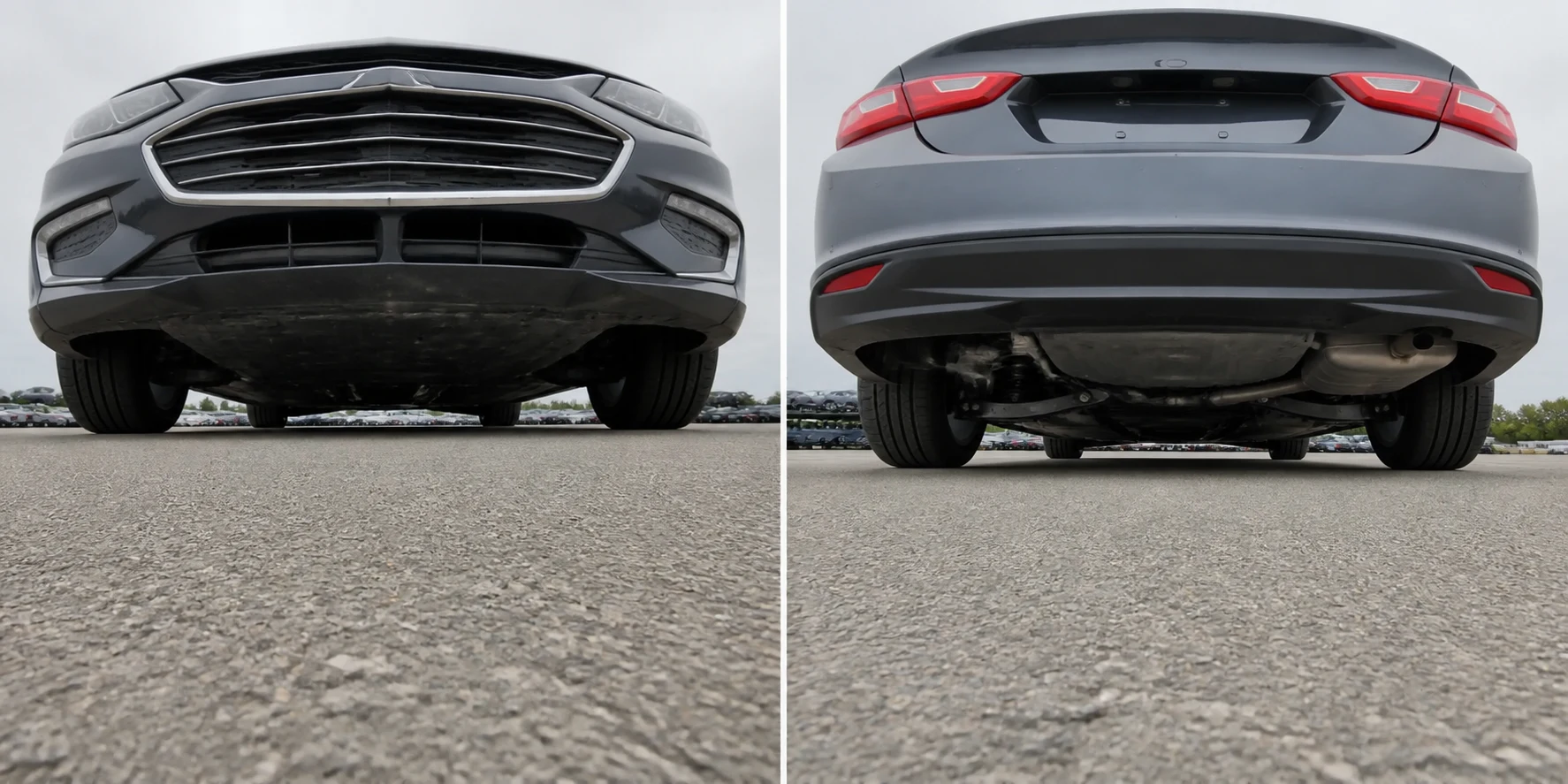
Use the assigned electronic workflow. When it fails, call Fusion before leaving and create the same record on paper.
Review vehicle, VIN, contacts, access, release code, operability, equipment, and special instructions before loading.
Use exact notes and clear photos. Mark every visible condition before movement and review it with the pickup person.
Never leave blank condition fields. Give the signing party a readable copy and retain the pickup record.
If the app, VIN, signature, release, vehicle condition, access, or safety situation does not match, call Fusion before continuing.
Repeat the inspection after unloading, record differences, obtain acknowledgment, preserve both BOLs, and answer ETA requests.
Sem provas da coleta, um dano anterior pode parecer responsabilidade sua
A seguradora pode contestar, reduzir ou negar um pedido de indenização quando a transportadora não apresenta provas originais e claras da coleta e da entrega. Sem um registro completo da coleta, talvez não seja possível demonstrar que o dano já existia antes do transporte.
Guarde as fotos originais de todos os ângulos, as imagens do VIN, os detalhes de cada dano, os registros de inspeção, as mensagens e os BOLs assinados nos dois locais. Se o motorista deixar de registrar uma prova obrigatória ou a transportadora perder os originais, a transportadora poderá ter de arcar com um prejuízo que não consegue contestar. A decisão de cobertura depende da apólice, dos fatos e da legislação aplicável; a Fusion Transports não controla essa decisão.
Assigned loads have a prefilled BOL in the Carrier Portal. If the app or portal cannot be completed, call Fusion before leaving, use the fillable blank BOL, capture the same photos, and obtain signatures.
Do not guess, assign blame, promise repairs, or continue when a difference affects safe or documented completion of the move.